Add an assistant
Give an assistant access to your clinics, so they can run your day from the PatientBook app.
Add them
- 1
Open your assistants
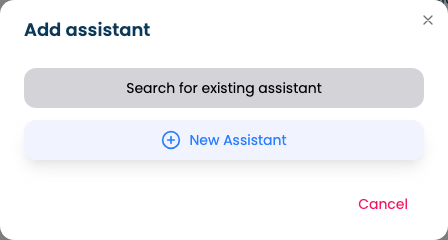
Go to My Account, open My Assistants and click Add assistant.
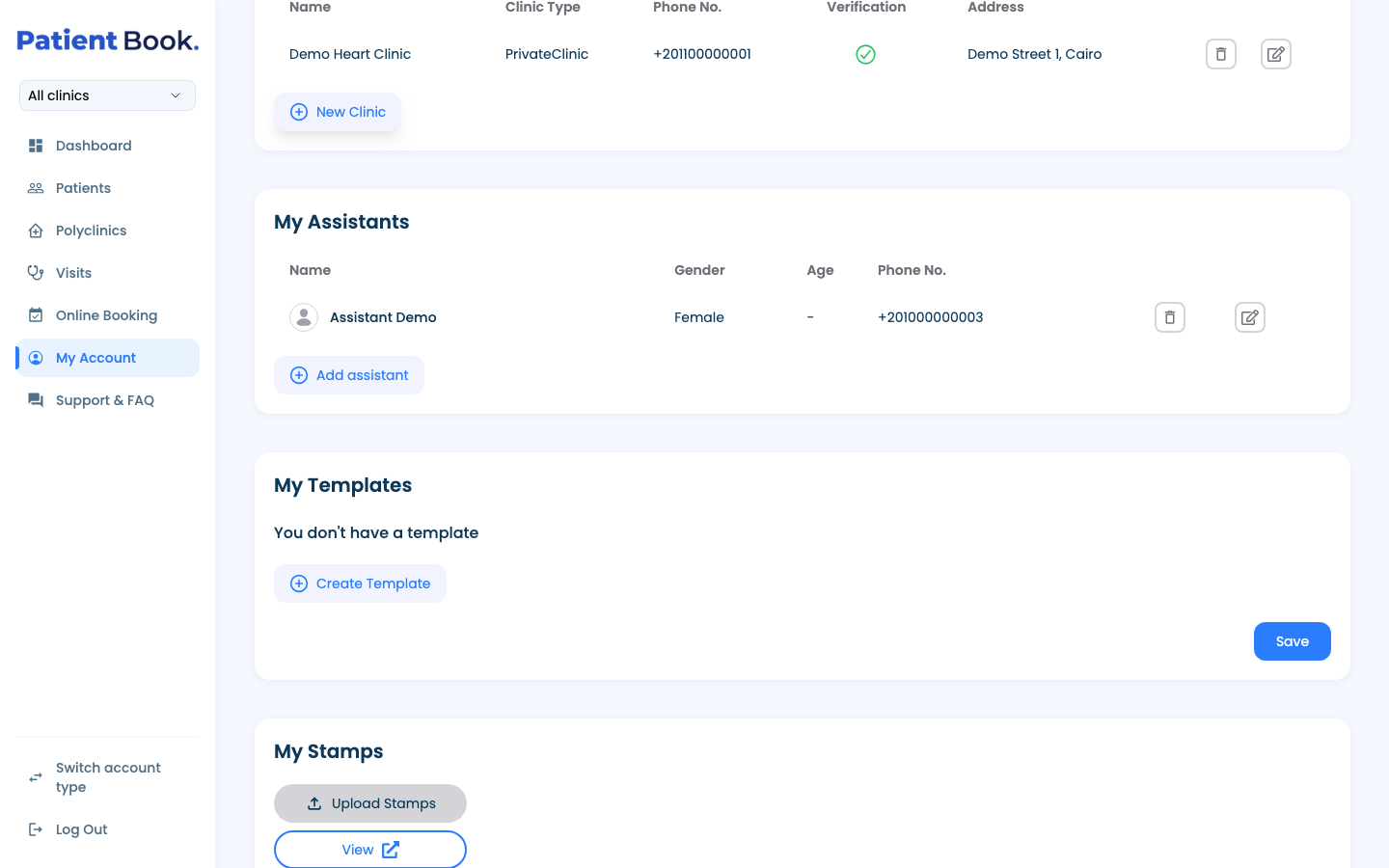
- 2
Find or create the assistant
If they already have a PatientBook account, choose Search for existing assistant and search by name or phone. Otherwise choose New Assistant.
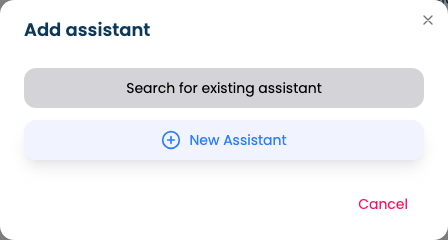
- 3
Fill in their details
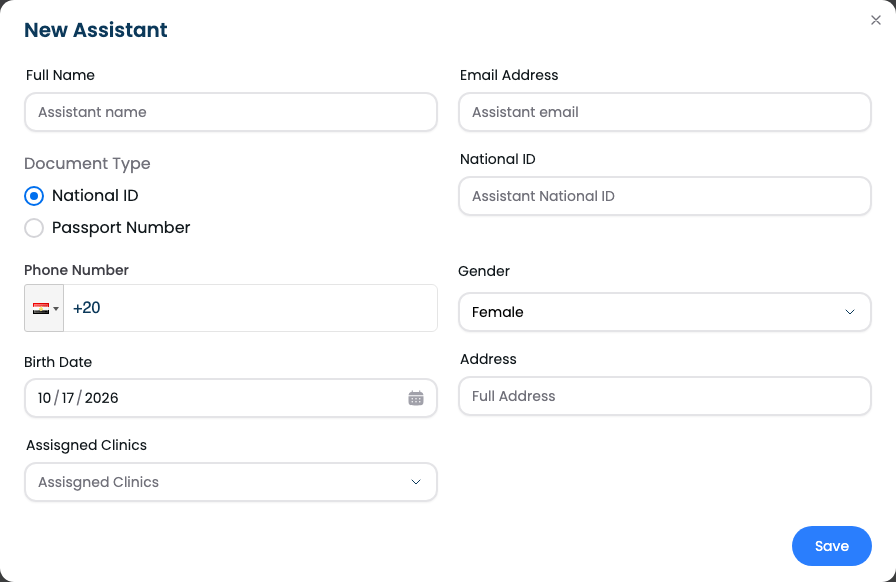
Enter their name, email, ID document, phone, gender, date of birth and address, choose the clinics they work at, and save.
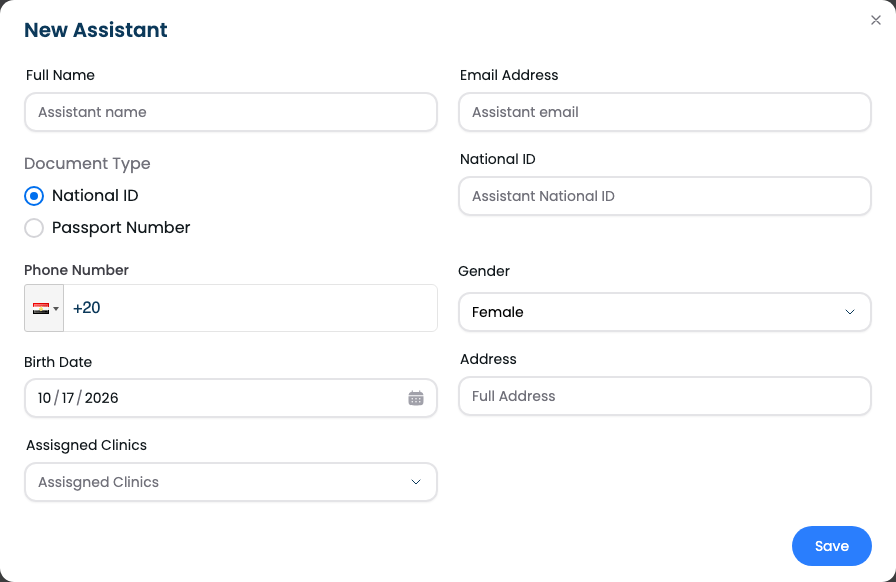
What they can do
- 1
Their access
Assistants sign in to the app and work for the clinics you chose: booking visits, adding patients, uploading reports, managing your schedule and moving visits through their statuses. They can read the consultation but not write it. There are no other permission settings; to change their clinics, edit them in the same list.
Questions and answers
Can I limit what an assistant can do?
No. There are no permission settings: you choose the clinics they work at, and you can change them in the same list.
Can my assistant write the consultation?
No. Assistants can read the consultation but not write it.
Can I add an assistant from the app?
No, assistants are added on the web portal. In the app, My Assistants lists them and can remove one.
What's next
Updated: 18 October 2026
Still stuck?
Our team answers on WhatsApp and email.