Add a patient and their family
Find a patient by phone number, create a file if they're new, and link their family members.
Look the patient up
- 1
Open Add Patient
Doctors: tap Add Patient under Quick Actions on the dashboard, or on the Patients tab. Assistants: tap Add New Patient on Home. The Find a patient screen opens.
- 2
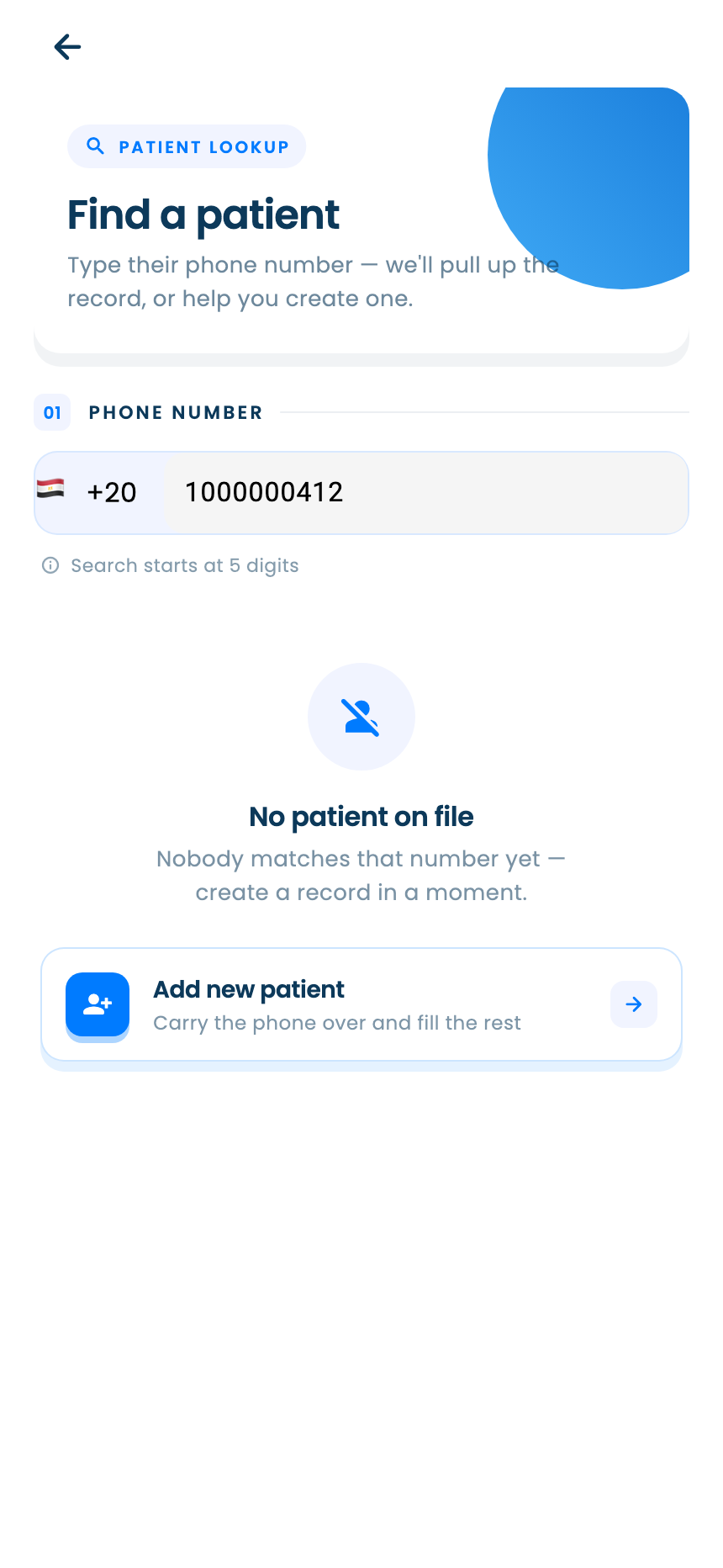
Search by phone number
Type the patient's mobile number. The country starts as Egypt; tap the flag to pick another. Results appear as you type.
Searching starts once you've typed 5 digits.
- 3
Act on the result
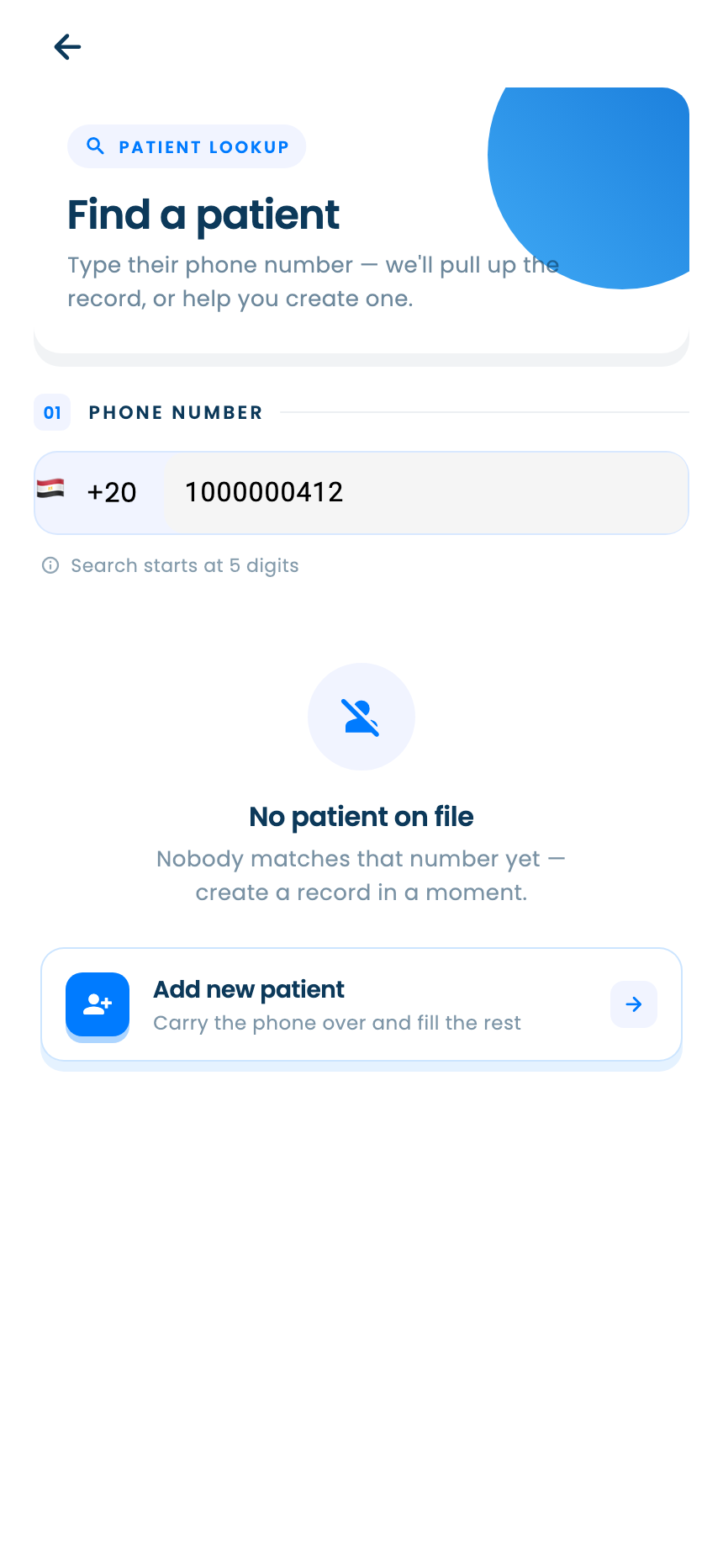
If the patient already uses PatientBook but isn't yours yet, choose Connect and confirm to get access to their file. If they're already your patient, you can add a family member to their account from the result. If nobody matches, create a new file as below.
Create a new patient file
- 1
Start the file
Under No patient on file, tap Add new patient. The number you searched carries over.
- 2
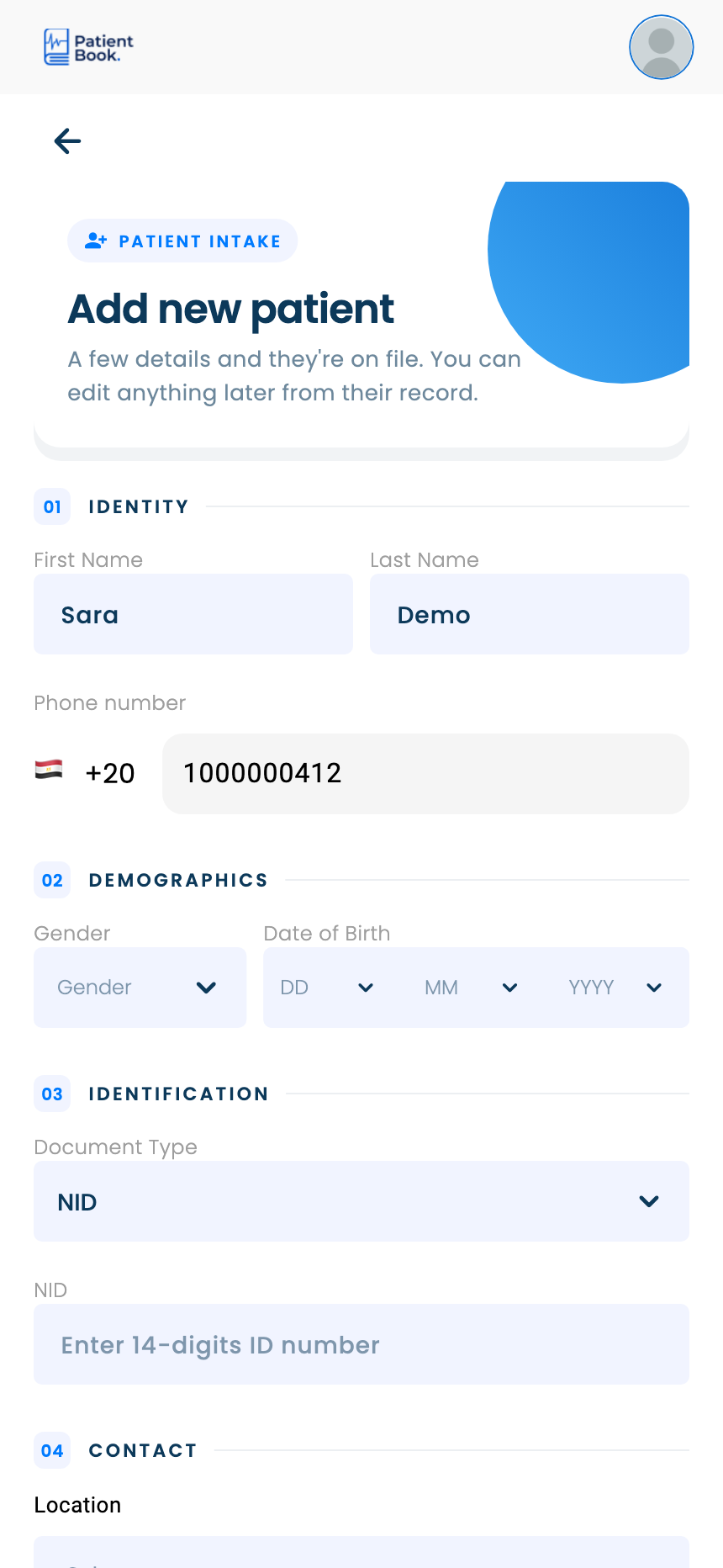
Fill in their details
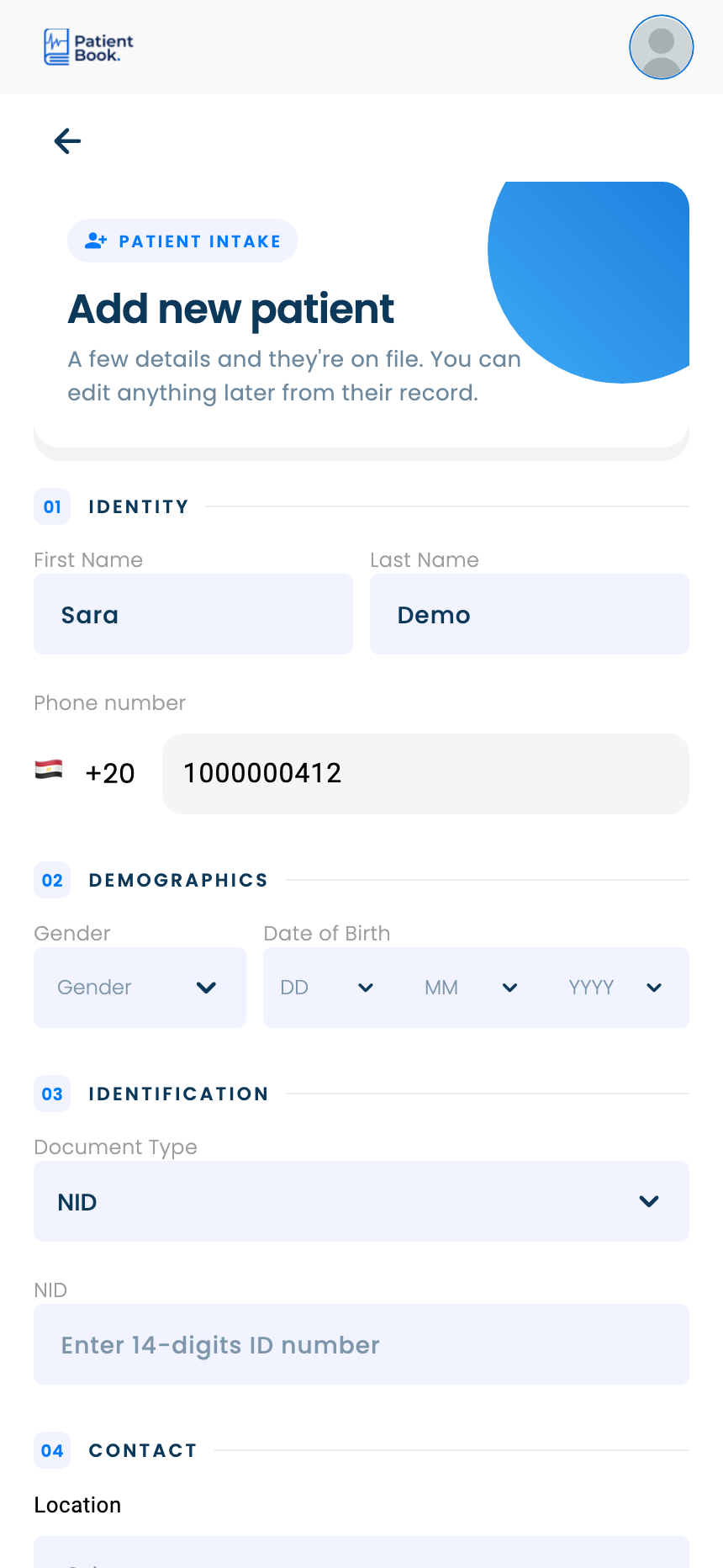
Enter the name, gender and date of birth, then any contact, address, insurance and ID details you have. Required fields are marked with *.
First and last name are separate fields, and the form runs in sections: Identity, Demographics, Identification and Contact.
- 3
Save the file
Tap Add patient at the bottom of the form, check the details, and confirm. You can book their first visit straight away.
Add family members
- 1
Choose how to add them
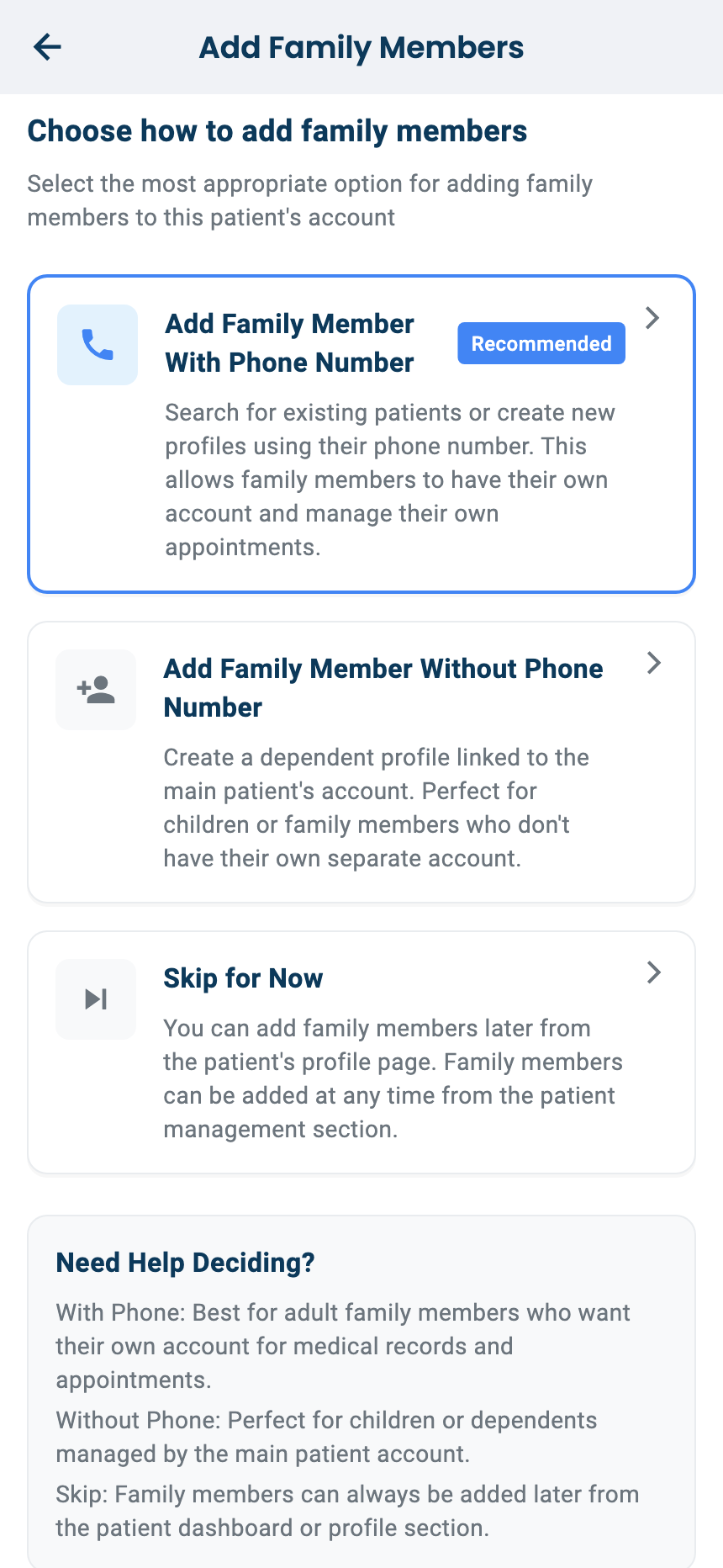
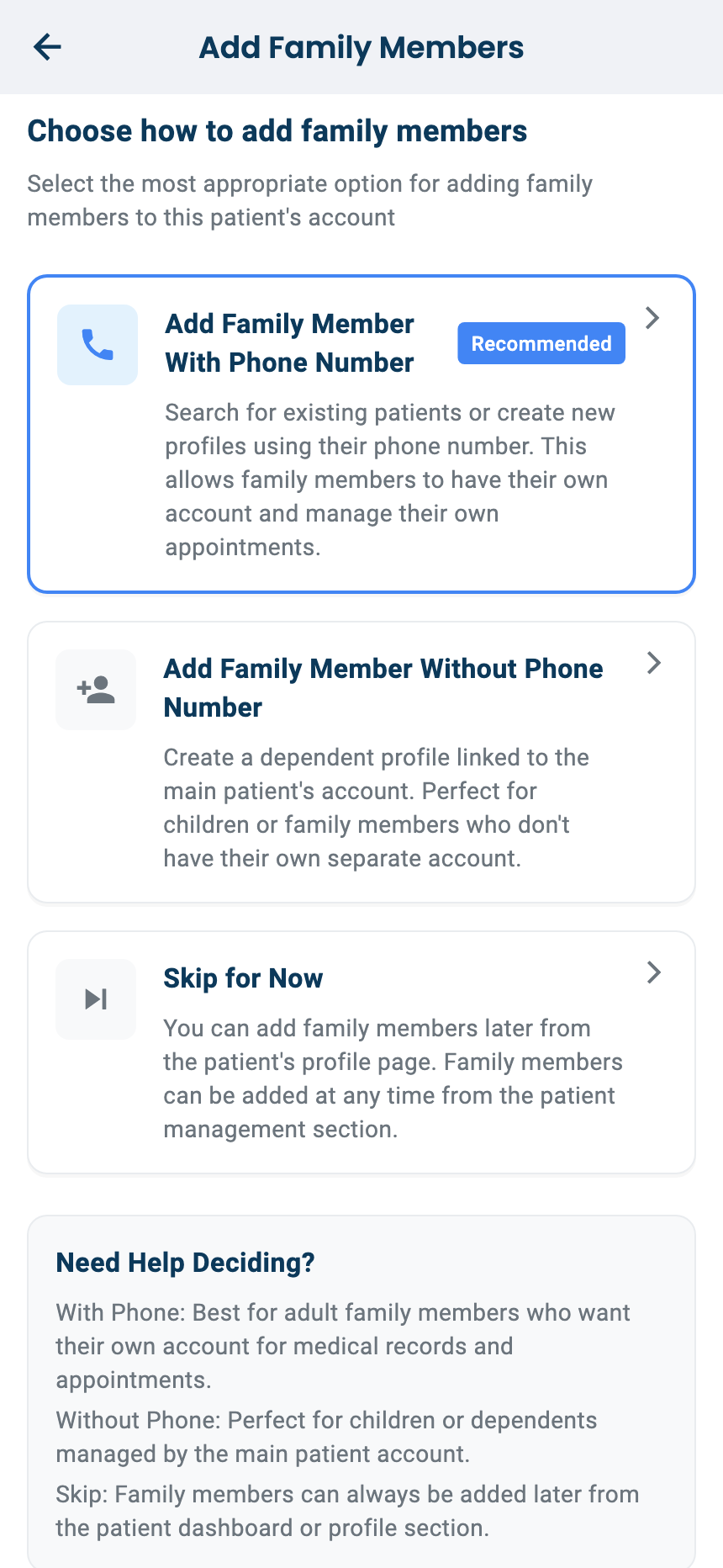
Add Family Member With Phone Number: for relatives with their own phone. They get their own account, and a code sent to their phone confirms it. Add Family Member Without Phone Number: a dependent profile, such as a child, linked to the main patient's account. Skip for Now: you can add family members later.
- 2
Add family members later
On the Patients tab, open the options on the patient's card and choose to add a family member.
Questions and answers
The patient already uses PatientBook. Do I create a new file?
No. Search by their phone number and choose Connect to get access to their file.
How do I add a child who has no phone?
Choose Add Family Member Without Phone Number. It adds a dependent profile linked to the main patient's account.
On the web vs in the app
| What | Web portal | App |
|---|---|---|
| Who can add patients | Doctors | Doctors and assistants |
| Patient name | One Full Name field | Separate first and last name |
| Where you start | Patients page, or Add Patient on the dashboard | Dashboard Quick Actions or the Patients tab; Home for assistants |
What's next
Updated: 18 October 2026
Still stuck?
Our team answers on WhatsApp and email.